Have you ever found yourself with an Amazon gift card you don’t really need? Maybe you got one as a birthday gift, or it came as a reward from some survey app, but now you’d rather have real money in your pocket instead of store credit. I’ve been there too. It’s more common than you think, and luckily, there are ways to turn that gift card into actual cash.
In this guide, I’ll walk you through the easiest and safest ways to convert your Amazon gift card into cash in 2026. I’ve tested these methods myself, so you’re not getting random tips. I’m giving you real options that work, without wasting time or risking scams. Whether you’re looking for quick cash through apps, selling to a friend, or trading online, we’ll cover all the smart choices and a few things to avoid.
What is an Amazon Gift Card Used For?
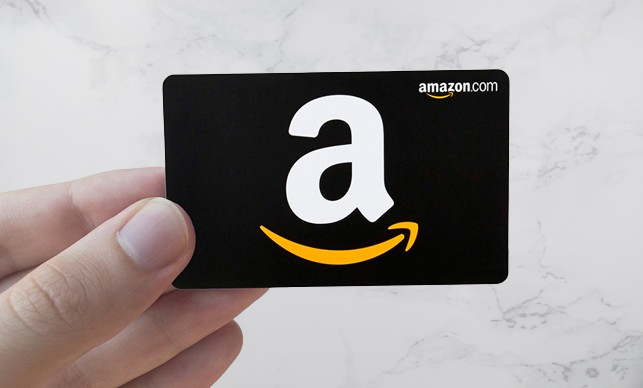
First things first, let’s talk about what an Amazon gift card can actually do. An Amazon gift card is basically store credit for Amazon, which you can use it to buy almost anything sold on their site. If you’ve ever shopped on Amazon, you know they sell just about everything.
Once you redeem a gift card on the Amazon redeem page, you enter a 14- to 15-character claim code to add the funds, or you can apply the code directly at checkout instead of pre-loading it. The balance then covers the order total for an eligible order and is automatically used on your next eligible order unless you choose a different payment method; if the balance is not enough, Amazon charges the remaining amount to your default payment method. You can’t transfer the balance to another person or back to a credit card, but you can use amazon giftcard for:
- Physical products like phone chargers, shoes, or kitchen tools
- Digital content like eBooks, movies, music, or apps
- Subscriptions like Kindle Unlimited or Amazon Prime
- Some third-party items sold through Amazon Marketplace
Here’s the catch though, you can’t use it to buy other types of gift cards (like Visa or Apple gift cards), and you can’t get a refund in cash from Amazon. That’s why a lot of people start looking for ways to turn it into real money instead. In the next section, I’ll show you exactly how to do that, step by step.
Best Ways to Redeem Amazon Gift Cards to Cash
So, you’ve got an Amazon gift card and you’d rather have the cash. Here are five easy ways you can turn that gift card into real money.
- Sell your amazon gift card on Nosh
- Sell on gift card exchange platforms
- Sell to friends
- Use it to buy items and resell
- Trade on Reddit
1. Sell Your Amazon Gift Card on Nosh (Best Rates)
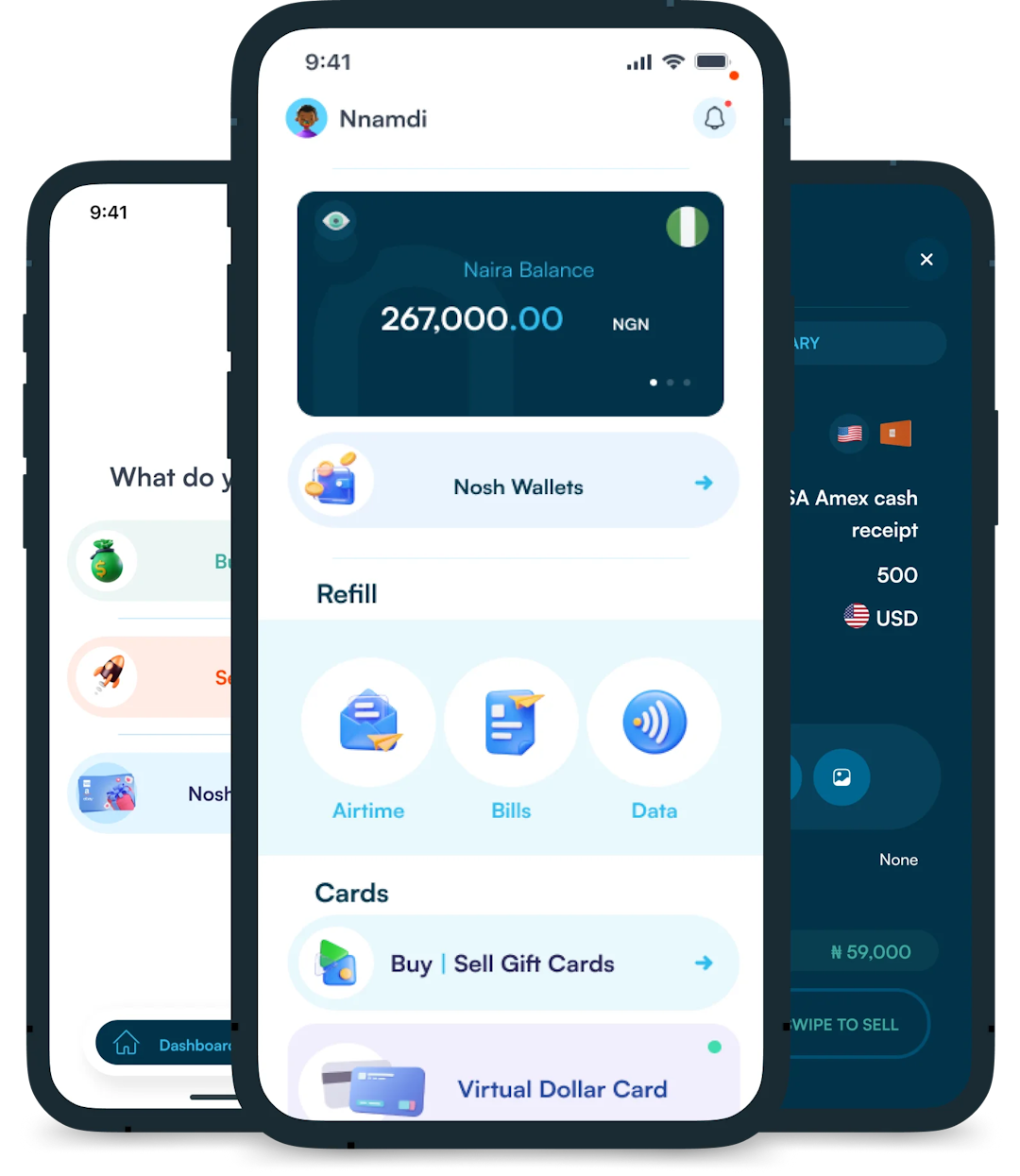
If you want a simple, fast, and secure way to convert your Amazon giftcard to cash , Nosh is one of the best platforms out there, especially since you’re already here.
Here’s why Nosh works great:
- Easy process: Upload your Amazon gift card in seconds using the Nosh app or website.
- Instant quotes: You’ll get a real-time offer based on your card’s value
- Fast payout: Choose how you want to get paid (bank transfer or wallet credit), and get your money within minutes.
- Trusted by thousands: Nosh has built a strong reputation for safe, secure transactions and reliable customer support.
In the next section, I’ll take you through a step-by-step guide to convert your gift card to cash on Nosh, so hold tight.
2. Sell on Gift Card Exchange Websites
Another easy way to get cash for your Amazon gift card is by selling it on a gift card exchange platform. These websites let you list your gift card and get paid, usually through PayPal or direct deposit in your wallet or bank account.
Some trusted websites are CardCash, GCX Raise, and Gift Card Granny. These platforms typically offer around 80% of your card’s face value. So if you have a $50 Amazon card, you might walk away with $40 in cash, depending on demand and how fast you want to sell it.
3. Use it to Buy Items and Resell Them
Another smart move is using your Amazon gift card for shopping online with redeemed gift card funds, then shop for items you can resell for cash. Think games, home gadgets, or even textbooks. Honestly, anything that holds resale value will work.
Once the items arrive, you can list them on platforms like Facebook Marketplace, eBay, OfferUp and even Jiji. This method takes a bit more time, but sometimes you can even turn a profit, especially if you bought a product that appreciated in value.
4. Sell to Friends/Family or Online Communities
If you’d rather not wait, consider selling your Amazon gift card directly to someone. This can be a friend, family member. or anyone on an online community (like r/giftcardexchange) you belong to. For example, if you’ve got a $25 gift card, offering it for $22 or $23 could seal the deal. It’s quick, and you usually get paid in cash or via a transfer app like Cash App or Zelle.
Here’s a warning, though. Only do this if you’re familiar with how these exchanges work and always check the reputation of the person you’re trading with. Amazon scams do happen, so use escrow services or mods when available.
Related Article: How To Transfer Amazon Gift Card Balance
How to Redeem Amazon Gift Card on Nosh
To redeem your amazon gift card on Nosh, these the few easy steps you must take:
- You start by downloading the Nosh mobile app from your device’s app store, or your website. After which you create an account by signing up with your email and verifying your identity.
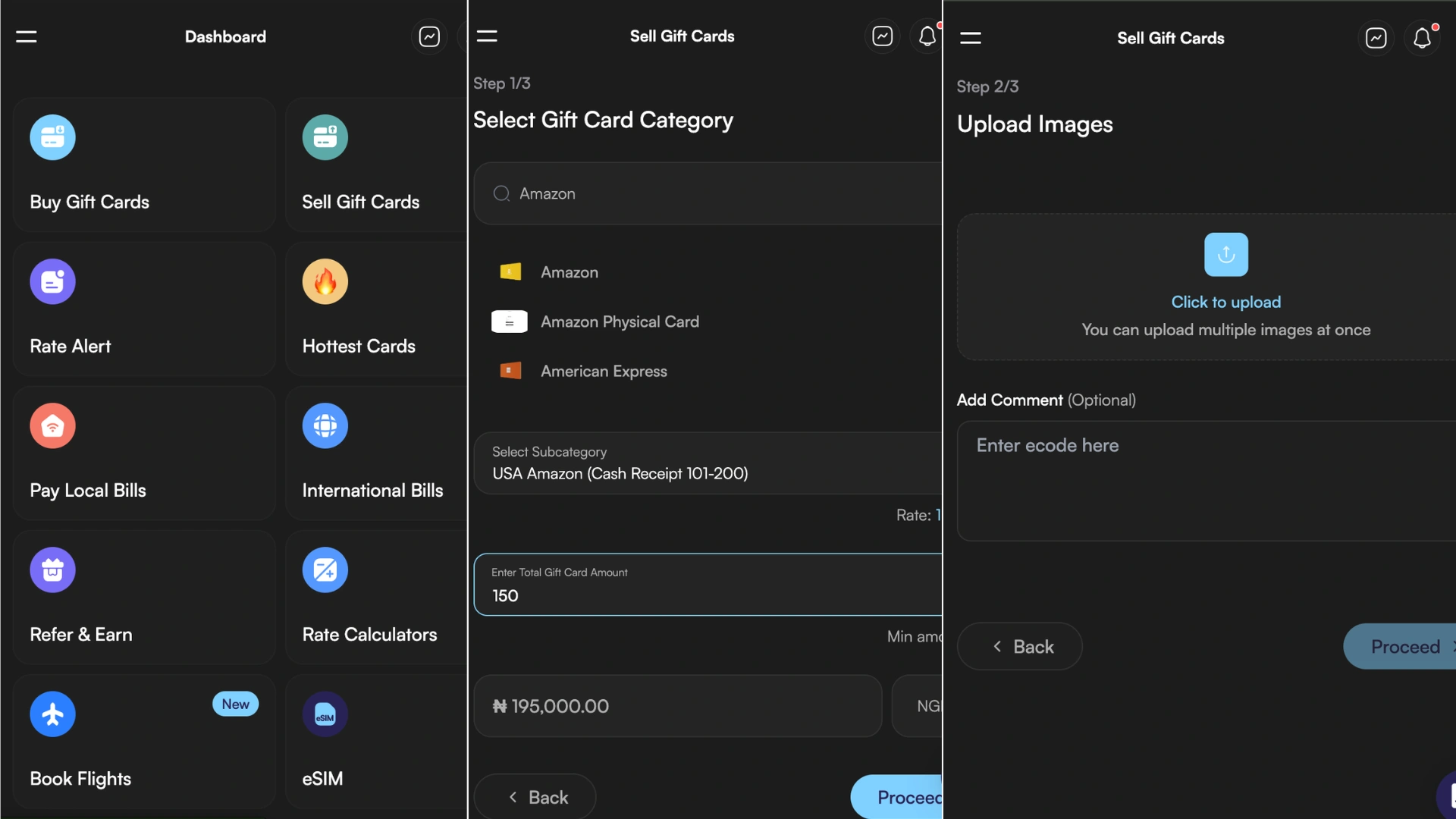
- After the first step, you then login, navigate to the Gift Card, then the “Sell Gift Card” section and select Amazon from the list of available options. It’s usually first on the list.
- Next, choose the subcategory that matches your card denomination and country, for example, US Amazon cash receipt 101 – $200. NB: Ensure that you choose the correct country of purchase.

- The next step is to enter the total value of the card, and Nosh will instantly display the current exchange rate and the Naira or Ghana Cedis equivalent you will receive.
- To proceed, upload clear images if you have physical gift cards, making sure all necessary details are visible. You may need to scratch off panel to reveal the claim code first. If you have egift cards, enter the gift card number and other required details.
- After reviewing the details, click the “Proceed” button to submit your trade. The Nosh team will verify your card and may test the submitted code before payment. If verification is unable to proceed, support may request more details. Once the verification process is complete, you will receive payment directly into your Nosh wallet or preferred bank account.
To find out the current rate for your Amazon gift card, use the rate calculator on the Nosh website or click on “Check Rates” on the app.
Related Article: If you want to know how much is left on your card, you can check the our guide on how to check amazon gift card balance.
Frequently Asked Questions About Redeeming an Amazon Gift Card
1. How do I redeem an Amazon gift card?
To redeem an amazon gift on the web, sign up/in on Nosh, choose the category and subcategory, enter the 14- to 15-character code. always remember to use the correct country. For app redemption, open the amazon app or amazon shopping app, tap Gift Card Balance, and use scanning if you have a physical card. You can also enter the code at checkout to activate the balance for that purchase. Once redeemed, the value is stored in your account and applies automatically to the next eligible order; if the balance is not enough, the remaining total is charged to your default payment method.
2. Why is my Amazon gift card code not working?
If you see an error, check that you entered the claim code correctly and are using the right country, because a mismatch or the wrong country can stop the code from working. If the problem continues, contact Amazon support and share the order number if available.
3. Can I Reload My Amazon Gift Card?
Yes, you can reload your Amazon gift card balance online with Amazon reload. If you can looking to buy, you can easily buy amazon gift card on Nosh.
Where Can I Buy an Amazon Gift Card?
The best platform to buy Amazon gift cards in Nigeria is NOSH. So, if you have a Nosh account, you can swiftly buy your Amazon Gift card.
Are Amazon Gift Cards Refundable?
No, Amazon gift cards are not refundable. Once you purchase an Amazon gift card, ensure to redeem it for items or exchange it for cash on trading platforms.
Do Amazon Gift Cards Expire?
No, Amazon gift cards do not expire. However, the gift card becomes invalid after 10 years from the date of issuance. You can request a replacement card in case this happens. Although I don’t support the idea of leaving your gift card lying around for 10 years.
Can Amazon Gift Cards Be Converted To Cash?
Yes, you convert your Amazon gift card to cash by selling it. That is what this whole article was based on. The best platform to sell Amazon gift cards in Nigeria and Ghana is Nosh. With Nosh, you’re guaranteed high rates, fast transactions, and instant payout. You just need to download the mobile app from the Google Play Store or App Store.
Final Thoughts: Turn Your Amazon Gift Card into Cash the Smart Way
At the end of the day, having an Amazon gift card is great, but putting it to use by redeeming it on Amazon or converting it to cash can be even better, especially when you’ve got bills to pay.
We covered a bunch of easy, legit ways to turn that gift card into real money, from selling on trusted exchange sites like CardCash and Raise to trading with someone you know. But if you want a method that’s fast, safe, and built specifically for gift card conversion, Nosh is hands-down one of the best platforms to use in 2026.
Got a card ready to sell? Head over to Nosh and turn it into cash today. It’s easier than you think, and if this guide helped, feel free to leave your feedback.